

What’s the Difference Between CrunchLabs Hack Pack and Arduino Starter Kit?
Quick Answer: CrunchLabs Hack Pack emphasizes hands-on mechanical building with integrated electronics, ideal for creative makers aged 10+. Arduino Starter Kit focuses on programming and circuit design, perfect for learners wanting deep electronics knowledge. CrunchLabs suits tactile builders; Arduino suits code-focused learners. Both teach STEM skills but through different approaches. Your choice depends on whether you prioritize mechanical construction or programming fundamentals. CrunchLabs launched in 2021 and has evolved significantly by 2026. Arduino remains the industry standard since 2005. Neither is objectively “better”—context matters.
Choosing between these platforms can feel overwhelming. Both platforms dominate the 2026 STEM education market. CrunchLabs combines buildable robots with electronics. Arduino offers modular components and extensive coding libraries. Understanding their core differences helps you select the right tool for your learning goals. This article compares both systems across design, difficulty, cost, and real-world applications.
Key Takeaway: CrunchLabs prioritizes mechanical creativity while Arduino prioritizes programming flexibility.
How Does CrunchLabs Hack Pack Work?
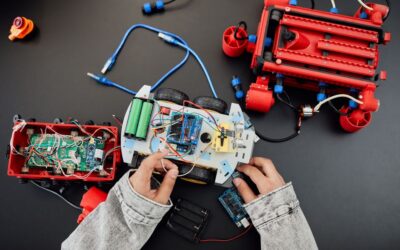
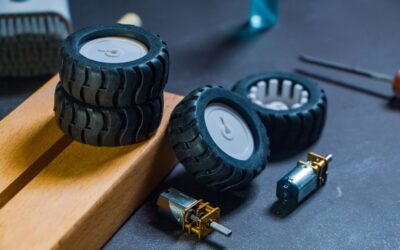
CrunchLabs Hack Pack combines 3D-printed plastic parts with motors, sensors, and a control board. Users assemble physical robot structures using printed components and fasteners. The system includes pre-programmed behaviors and optional visual programming. Learners build first, then customize behavior through simple drag-and-drop interfaces or code.
The Hack Pack emphasizes mechanical problem-solving. Each project teaches gear ratios, leverage, and structural design. The included control board handles motor and sensor management without requiring deep circuit knowledge. This approach makes robotics accessible to younger learners (ages 10+).
- 3D-printed plastic components for custom robot designs
- Integrated motors, sensors, and control boards
- Visual programming interface with optional text-based coding
- Pre-designed projects and open-ended building challenges
- Monthly subscription model for new designs and updates
CrunchLabs Subscription Model
CrunchLabs operates on a monthly subscription. Users pay $15–$25 monthly for access to new designs, 3D printing files, and community resources. Initial hardware purchase ($200–$350) covers the control board and sensors. Filament costs add $2–$5 per project for 3D printing.
This model encourages continuous learning through fresh challenges. Monthly updates keep the platform current with 2026 trends. However, subscription costs accumulate over time. For budget-conscious families, this may feel expensive compared to one-time purchases.
Key Takeaway: CrunchLabs requires ongoing subscription fees but offers unlimited design variety.
How Does Arduino Starter Kit Work?
Arduino Starter Kit includes a microcontroller board, sensors, LEDs, resistors, and breadboards. Users assemble circuits on breadboards and write code to control behavior. The Arduino IDE (Integrated Development Environment) uses a simplified C++ language. Learning progresses from LED blinking to complex sensor networks.
Arduino emphasizes electronics fundamentals and programming logic. Each project teaches circuit design, voltage, current, and digital logic. The open-source ecosystem provides millions of code libraries and community examples. This flexibility enables advanced projects beyond starter kits.
- Arduino microcontroller board (UNO, Nano, or Mega variants)
- Breadboard for temporary circuit assembly
- Sensors: temperature, light, motion, distance
- Actuators: LEDs, buzzers, motors, servos
- Resistors, capacitors, and jumper wires
- Free, open-source IDE with extensive documentation
Arduino’s Open-Source Advantage
Arduino’s open-source nature is its greatest strength. The hardware design is publicly available. Anyone can modify, remix, or create compatible boards. This ecosystem created thousands of compatible sensors and shields by 2026. Users access millions of code examples and tutorials online.
The Arduino community spans educators, hobbyists, and professionals. Troubleshooting is easier because solutions exist for nearly every problem. Cost is lower—third-party Arduino clones cost $5–$15. This affordability makes Arduino ideal for schools and budget-limited learners.
Key Takeaway: Arduino’s open-source ecosystem provides unlimited flexibility and low costs.
Which Platform Teaches Better Electronics and Programming?
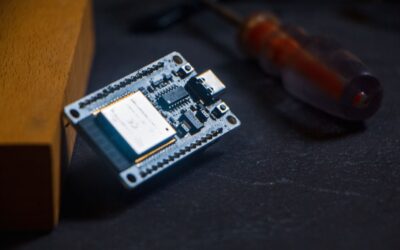
Arduino excels at teaching electronics fundamentals. Learners understand voltage, current, and resistance through hands-on circuit building. They write code that directly controls hardware. This foundation prepares learners for advanced electronics and IoT projects. Arduino users often progress to ESP32 projects and professional microcontroller work.
CrunchLabs focuses on mechanical design and visual logic. Learners understand how machines move and interact. Programming remains secondary. This approach suits creative thinkers who prefer building over coding. However, it provides less depth in electronics theory.
- Arduino: Best for learning circuit design, voltage, and C++ programming
- CrunchLabs: Best for learning mechanics, gear systems, and visual logic
- Arduino: Prepares learners for IoT and embedded systems careers
- CrunchLabs: Prepares learners for robotics and mechanical engineering
Skill Progression and Career Paths
Arduino learners often advance to Arduino Mega, Arduino Due, or ARM-based boards. They explore IoT sensors, wireless communication, and data logging. Many transition to professional platforms like PLC (Programmable Logic Controllers) or industrial automation. Arduino experience directly supports careers in embedded systems, robotics engineering, and IoT development.
CrunchLabs learners develop mechanical intuition and 3D design skills. They may advance to CAD software and professional 3D printing. Some transition to robotics competitions or mechanical engineering. However, the path to professional electronics is less direct than with Arduino.
Key Takeaway: Arduino offers clearer pathways to electronics and programming careers.
What Are the Cost Differences in 2026?
Arduino Starter Kit costs $70–$150 upfront. Quality kits from official Arduino include extensive components. Third-party clones cost $30–$60. There are no ongoing subscription fees. Additional sensors and shields cost $5–$50 each. Total investment for a year of learning: $100–$300.
CrunchLabs requires $200–$350 for initial hardware plus $15–$25 monthly subscriptions. A year of CrunchLabs costs $380–$650. This includes new designs, updates, and community access. The higher cost reflects the 3D printing infrastructure and monthly content creation.
- Arduino: $70–$150 initial + $0 ongoing = $70–$150/year
- CrunchLabs: $200–$350 initial + $180–$300 annual subscription = $380–$650/year
- Arduino additional sensors: $5–$50 each as needed
- CrunchLabs filament costs: $2–$5 per project
Budget Considerations for Schools and Families
Schools with tight budgets favor Arduino. A classroom can equip 20 students with Arduino kits for $1,500–$2,000. The same investment covers only 4–6 CrunchLabs systems. Arduino’s lower cost makes it ideal for large-scale STEM programs.
Families investing in a single learner may prefer CrunchLabs for its integrated experience. The subscription ensures fresh content and reduces decision fatigue. However, budget-conscious families should choose Arduino for its lower cost and longer lifespan.
Key Takeaway: Arduino is significantly cheaper, especially for schools and multiple learners.
How Do These Platforms Compare for Different Age Groups?
CrunchLabs targets ages 10–16 with mechanical building as the primary hook. Younger learners (10–12) enjoy assembling colorful robots without worrying about circuit theory. Older learners (13–16) appreciate the challenge of optimizing designs and writing custom code. The visual programming interface accommodates varied skill levels.
Arduino suits ages 12 and up, with a steeper learning curve for younger users. Ages 12–14 can follow structured tutorials and simple projects. Ages 15+ can tackle advanced programming and custom circuit design. Arduino requires more patience and reading comprehension than CrunchLabs.
- Ages 10–11: CrunchLabs is more engaging and accessible
- Ages 12–14: Both platforms work; choose based on learning style
- Ages 15+: Arduino offers more depth and career relevance
- Tactile learners: CrunchLabs preferred
- Code-focused learners: Arduino preferred
Classroom Integration and Curriculum Alignment
Arduino integrates easily into existing STEM curricula. Teachers find abundant lesson plans, standards alignment, and assessment tools. Arduino projects connect to physics (circuits, forces), mathematics (algorithms, logic), and computer science (programming, debugging). Many schools use Arduino for AP Computer Science Principles and Engineering courses.
CrunchLabs offers curated projects aligned with engineering design principles. Projects teach the engineering design process: ideate, build, test, iterate. This approach suits project-based learning environments. However, fewer standardized curricula exist compared to Arduino.
Key Takeaway: Arduino integrates better with existing school curricula and standards.
What Are the Practical Tips for Choosing Between Them?
Start by assessing your learning goals and preferences. If you love building mechanical things and want quick visual results, CrunchLabs wins. If you want to understand electronics deeply and write code, choose Arduino. Consider your budget, available time, and long-term goals.
Decision-Making Framework
- Choose CrunchLabs if: You love hands-on building, prefer visual learning, want integrated projects, or dislike reading documentation.
- Choose Arduino if: You want to learn programming, understand circuits, plan advanced projects, or need low costs.
- Try both if: Your school or library offers access; hands-on testing beats speculation.
- Start with Arduino if: You’re uncertain; it’s cheaper and offers more flexibility long-term.
- Start with CrunchLabs if: You’re young (10–12) or prefer structured, guided projects.
Hybrid Approach
Many successful learners use both platforms. Start with CrunchLabs to build confidence and enjoy mechanical creativity. Progress to Arduino for deeper electronics and programming knowledge. This sequence suits learners who want both mechanical intuition and coding skills. By 2026, many educators recommend this hybrid path for well-rounded STEM competency.
Consider your learning environment too. Home learners benefit from CrunchLabs’ structured projects. Classroom settings favor Arduino’s affordability and curriculum alignment. Community makerspaces often support both platforms. Your available resources should influence your choice.
Key Takeaway: Assess your goals, budget, and learning style before choosing; both platforms have merit.
How Do These Platforms Connect to Broader STEM Education in 2026?
Both platforms support STEM education but through different pathways. Arduino connects to computer science, electrical engineering, and IoT careers. CrunchLabs connects to mechanical engineering, robotics, and product design. By 2026, employers increasingly value hands-on STEM skills from both domains.
Arduino learners often explore Arduino robotics for advanced projects. They build autonomous vehicles, environmental monitoring systems, and home automation. CrunchLabs learners develop problem-solving through mechanical challenges. Both develop critical thinking and persistence.
The 2026 job market rewards versatile makers. Professionals who combine mechanical design, electronics, and programming are highly sought. Starting with either platform prepares you for this integrated future. The key is sustained engagement and willingness to learn complementary skills.
Key Takeaway: Both platforms build valuable STEM skills; consider them as stepping stones, not endpoints.
Which Platform Should You Choose in 2026?
Your choice depends on three factors: learning style, budget, and goals. Tactile builders who enjoy immediate visual results should choose CrunchLabs. Analytical learners who want to understand circuits and code should choose Arduino. Budget-conscious learners and schools should prioritize Arduino’s affordability.
CrunchLabs excels at engagement and project completion. Its integrated design means fewer decisions and faster results. The subscription model ensures fresh content. If you value guided learning and beautiful robot designs, CrunchLabs is worth the investment.
Arduino excels at flexibility and depth. Its open-source ecosystem supports unlimited creativity. The low cost makes it accessible to everyone. If you want to learn professional skills and save money, Arduino is the clear choice.
Neither platform is objectively superior. Both teach genuine STEM skills and inspire makers. The best choice aligns with your personality, resources, and aspirations. Consider trying both through library access or community makerspaces before committing financially.
Key Takeaway: Choose CrunchLabs for guided mechanical learning or Arduino for flexible electronics education.
Frequently Asked Questions
Can you use Arduino with CrunchLabs robots?
CrunchLabs robots use proprietary control boards designed for their ecosystem. While technically possible, integrating Arduino into CrunchLabs requires advanced modifications and voids warranties. Most users stick with their platform’s native components. Cross-platform compatibility exists in theory but lacks practical support and documentation in 2026.
Which platform is better for robotics competitions?
Arduino dominates robotics competitions (FTC, VEX, FIRST). These competitions expect custom electronics and flexible programming. CrunchLabs lacks the competitive infrastructure and advanced capabilities competitions demand. If competition is your goal, Arduino is essential. CrunchLabs suits casual robotics and creative building.
Do both platforms require a computer or smartphone?
Both require computers for programming and design. Arduino requires a PC or Mac with the Arduino IDE installed. CrunchLabs requires a computer for 3D printing files and visual programming, plus a smartphone for optional app-based control. Neither works purely offline once designs are downloaded.
What’s the learning curve difference?
CrunchLabs has a gentler learning curve. Visual programming and pre-designed projects mean beginners succeed quickly. Arduino has a steeper curve; learners must understand circuits, code syntax, and debugging. Arduino typically requires 2–4 weeks of dedicated study before comfortable independence. CrunchLabs requires 1–2 weeks.
Can adults use these platforms?
Absolutely. Both platforms appeal to adult makers, hobbyists, and professionals. Arduino dominates adult maker communities and professional applications. CrunchLabs attracts adults who enjoy mechanical puzzles and aesthetic design. Adults often use Arduino for IoT and home automation projects. CrunchLabs suits adults seeking creative, tactile challenges.
Which platform has better community support?
Arduino has a larger, more established community. Millions of tutorials, forums, and Stack Overflow answers exist. Arduino user groups meet globally. CrunchLabs has a smaller but growing community. CrunchLabs offers direct company support through subscriptions. Arduino relies on distributed community support, which can be slower but more comprehensive.





Write Your Review
No reviews yet. Be the first to share your experience!