

What Is Mark Rober’s Hack Pack Coding Tutorial and Why Should You Learn It in 2026?
Mark Rober’s Hack Pack is an innovative coding education system designed to teach programming fundamentals through hands-on mechanical building projects. Released by CrunchLabs, this system combines physical construction with digital coding challenges, making STEM learning engaging and practical. In 2026, the Hack Pack remains one of the most accessible entry points for beginners aged 8 and up who want to learn coding without traditional textbooks or screen-only instruction.
The platform integrates visual programming blocks with real mechanical feedback, helping students understand cause-and-effect relationships in code. Each project teaches core concepts like loops, conditionals, and variables through interactive building experiences. By June 2026, thousands of students worldwide have completed Hack Pack projects, with measurable improvements in problem-solving skills and computational thinking.
Learning Mark Rober’s system offers distinct advantages over conventional coding tutorials. The hands-on approach maintains engagement longer than video-only instruction. Students see immediate physical results from their code, reinforcing learning outcomes. The modular design allows progression from beginner to advanced levels at your own pace.
Key Takeaway: Hack Pack combines building and coding to teach programming fundamentals in an engaging, results-driven format.
How Do You Get Started With Mark Rober’s Hack Pack Coding System?
Getting started with Hack Pack requires just three things: the physical kit, the companion app, and about 30 minutes for your first project. The initial setup is straightforward and designed for independent learners. Most students can begin their first coding challenge within an hour of unboxing.
Setting Up Your Hack Pack Kit
Unbox your Hack Pack and organize all components before starting. The kit includes mechanical parts, a motor module, and connection pieces. Download the official CrunchLabs app from your device’s app store and create a free account. Connect your motor module to your device via Bluetooth following the in-app setup wizard.
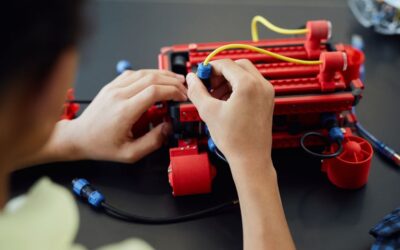
The physical assembly process teaches spatial reasoning before you write any code. Each component has a specific purpose in the mechanical system. Take time to understand how pieces fit together—this foundation matters for later projects.
- Unbox all components and check against the included parts list.
- Download the CrunchLabs app on iOS, Android, or web browser.
- Create your account with a valid email address.
- Enable Bluetooth on your device and pair the motor module.
- Complete the beginner assembly tutorial in the app.
Understanding the App Interface
The CrunchLabs app features a clean, intuitive interface divided into three main sections: Projects, Code Editor, and Progress Tracking. The Projects tab shows all available challenges organized by difficulty level. The Code Editor uses visual block-based programming similar to Scratch or MIT App Inventor.
Your Progress Tracking dashboard displays completed projects, earned badges, and skill development metrics. This gamification element motivates continued learning. The app automatically saves your work, so you can pause and resume projects anytime.
Key Takeaway: The app interface is beginner-friendly and guides you through setup without requiring prior coding experience.
What Are the Core Coding Concepts You’ll Learn in Mark Rober’s Hack Pack?
Hack Pack teaches six fundamental programming concepts through progressive projects. Each concept builds on previous knowledge, creating a structured learning path. Mastering these foundations prepares you for advanced coding languages and robotics projects.
Sequences and Basic Commands
Your first projects introduce sequences—the foundation of all programming. A sequence is a series of commands executed in order. In Hack Pack, you’ll command motors to spin forward, backward, or stop using simple block commands arranged vertically.
Understanding sequences teaches you that computers follow instructions literally and in exact order. If you place blocks in the wrong sequence, your machine behaves unexpectedly. This immediate feedback reinforces correct thinking patterns.
- Forward and backward motor commands execute in the order you arrange them.
- Timing blocks control how long each command runs (measured in seconds).
- Stop commands halt all motor activity immediately.
- Sequences repeat from top to bottom without variation unless modified.
Loops and Repetition
Once you master sequences, projects introduce loops—blocks that repeat commands multiple times without rewriting them. A loop saves time and reduces errors when you need identical actions repeated. Hack Pack uses visual loop blocks that clearly show which commands repeat.
Projects around week two of learning typically introduce simple repeat loops. You’ll build a spinning wheel or rotating mechanism that repeats a sequence ten times. The visual representation makes abstract loop concepts concrete and understandable.
Conditionals and Decision-Making
Conditionals teach your code to make decisions based on conditions. An if-then statement checks whether something is true, then executes different commands based on that result. In Hack Pack, you’ll use sensors to detect when a motor reaches a certain position, then trigger different actions.
These projects typically appear in the intermediate section, around week four of learning. Your mechanical builds become more complex, incorporating sensors that provide feedback to your code. This interaction between physical sensors and digital logic is powerful for understanding real-world applications.
Key Takeaway: Core concepts progress logically from sequences through loops to conditional logic, each building practical understanding.
How Do You Progress Through Mark Rober’s Hack Pack Projects Effectively?
Successful progression requires balancing speed with comprehension. Many learners rush through projects to unlock badges, missing deeper understanding. Instead, allocate time for experimentation and modification of completed projects. This approach builds true mastery rather than surface-level completion.
Recommended Learning Timeline
Most beginners benefit from a structured schedule: one project every three to four days. This pace allows time for building, coding, testing, and reflection. Rushing through multiple projects daily leads to forgotten concepts and frustration when later projects require earlier knowledge.
- Week 1: Complete 2-3 beginner sequence projects, understanding basic motor control.
- Week 2-3: Master 2-3 loop projects, experimenting with different repetition counts.
- Week 4-5: Tackle 2-3 conditional projects, incorporating sensor feedback.
- Week 6+: Attempt advanced projects combining all previous concepts.
- Ongoing: Revisit earlier projects with new modifications for deeper learning.
Experimentation and Modification Strategies
After completing a project as designed, modify it intentionally. Change loop counts, adjust timing values, or add sensor conditions. Document what changes and why. This experimentation phase deepens understanding more than completing additional projects without modification.
Create a learning journal where you note what each block does, what happens when you change values, and what surprised you. This reflection cements learning and creates a reference guide for future projects. Share your modifications with the community through CrunchLabs’ project-sharing feature.
Troubleshooting Common Issues
When your code doesn’t work as expected, systematic troubleshooting matters. First, verify your mechanical build matches the instructions exactly—many “code problems” are actually assembly issues. Second, check that your app has the latest version and your Bluetooth connection is stable.
If your motor doesn’t respond, try these steps in order: disconnect and reconnect Bluetooth, restart the app, restart your device, and finally rebuild the motor module. Documentation of what you tried helps you solve problems faster in future projects.
Key Takeaway: Effective progression combines steady pacing with intentional experimentation and systematic troubleshooting.
What Advanced Techniques Can You Master in Mark Rober’s Hack Pack?
After mastering core concepts, advanced projects introduce sophisticated programming patterns. These techniques prepare you for real-world coding applications and complex robotics projects. Advanced learners can typically reach this level within six to eight weeks of consistent practice.
Variables and Data Storage
Variables store information that your code uses and modifies during execution. In Hack Pack, you’ll create variables to track how many times a loop has executed or the current speed of a motor. Understanding variables opens doors to more complex programs that respond to changing conditions.
An example project might ask you to increment a counter variable each time a sensor detects motion, then use that variable to control motor speed. This teaches how programs maintain state and make decisions based on accumulated data.
Functions and Code Reusability
Functions group related commands into reusable blocks. Instead of repeating the same sequence of commands multiple times, you create a function once and call it whenever needed. This reduces code length and makes programs easier to understand and modify.
Advanced Hack Pack projects introduce custom functions for complex mechanical movements. You might create a “spin-and-pause” function that combines multiple commands, then use it throughout your project. This modular approach mirrors professional programming practices.
- Functions accept inputs (parameters) that customize their behavior.
- Functions return outputs that other code blocks can use.
- Well-named functions make code self-documenting and easier to debug.
- Reusing functions reduces total code length and complexity significantly.
Combining Multiple Sensors
Advanced projects integrate multiple sensors simultaneously, requiring your code to process several inputs and make complex decisions. You might combine a distance sensor with a motion sensor to create a machine that responds differently based on what it detects.
These projects teach real-world programming challenges: handling conflicting sensor inputs, prioritizing which sensor matters most, and managing timing when multiple systems run simultaneously. Mastering multi-sensor logic prepares you for robotics competitions and advanced maker projects.
Key Takeaway: Advanced techniques include variables, functions, and multi-sensor integration that enable sophisticated program logic.
How Can You Connect Mark Rober’s Hack Pack to Other Learning Platforms?
Hack Pack integrates well with other STEM learning systems. Many students use Hack Pack as a foundation before advancing to Python, JavaScript, or robotics platforms like LEGO Mindstorms. The concepts you learn transfer directly to these more advanced systems.
Transitioning to Text-Based Programming
After mastering visual block programming in Hack Pack, learning text-based languages becomes significantly easier. The logical thinking patterns are identical—only the syntax differs. Python is the recommended next step because its simple syntax closely mirrors block-based logic.
Create a transition plan: choose Python basics resources, start with simple programs that replicate Hack Pack projects you’ve completed, then gradually increase complexity. Many free resources like Python.org and Codecademy offer beginner-friendly courses that build on block-programming knowledge.
Integrating With Robotics Platforms
Hack Pack’s motor control and sensor integration directly apply to robotics platforms. LEGO Mindstorms EV3 and VEX Robotics both use similar programming concepts and sensor types. Your Hack Pack experience provides valuable foundation knowledge for these more expensive platforms.
Consider participating in local robotics competitions after completing Hack Pack. Your understanding of motors, sensors, and programming logic gives you competitive advantage. Many competitions welcome Hack Pack graduates and provide pathways to advanced robotics education.
Key Takeaway: Hack Pack serves as an excellent foundation for text-based programming languages and advanced robotics platforms.
What Practical Tips Help You Master Mark Rober’s Hack Pack Coding Tutorial?
Mastering Hack Pack requires more than just following instructions. Strategic approaches accelerate learning and deepen understanding. These practical tips come from educators and advanced learners who’ve completed the full curriculum.
Essential Learning Strategies
- Keep a learning journal documenting what each block does and what surprises you.
- Modify completed projects intentionally before moving to new ones.
- Explain your code aloud to someone else—teaching reinforces understanding.
- Test one change at a time to isolate cause-and-effect relationships.
- Join online communities to see how others solved similar problems.
- Set weekly goals beyond just “complete X projects” (e.g., “master loops” or “create custom functions”).
Overcoming Common Challenges
Frustration often strikes when projects don’t work immediately. Remember that debugging—finding and fixing errors—is a core programming skill. Embrace problems as learning opportunities rather than failures. Professional programmers spend significant time debugging; it’s not a weakness in beginners.
If you feel stuck on a project, take a break and return with fresh eyes. Many solutions become obvious after stepping away. Document what you tried and what didn’t work—this prevents repeating failed approaches and builds systematic thinking.
Staying Motivated Through the Curriculum
Motivation fluctuates during any learning journey. Combat motivation dips by celebrating small wins, sharing your projects with friends and family, and connecting with other learners. The CrunchLabs community features project galleries where you can showcase your work and see what others have created.
Set personal challenges beyond the curriculum: create a machine that does something unique, combine multiple projects into one larger system, or help a younger learner complete their first project. These self-directed goals maintain engagement when official projects feel routine.
Key Takeaway: Systematic learning strategies, embracing debugging, and community connection accelerate mastery and maintain motivation.
Frequently Asked Questions
What age is Mark Rober’s Hack Pack appropriate for?
Hack Pack is designed for ages 8 and up, though younger children may need adult guidance with assembly. Teenagers and adults also enjoy the system for learning coding fundamentals. The difficulty progression accommodates various ages and experience levels within the same platform.
Do you need prior coding experience to start Hack Pack?
No prior experience is necessary. Hack Pack teaches all concepts from the ground up using visual block-based programming. The system assumes no background knowledge and introduces concepts progressively. Complete beginners can start with confidence.
How much does Mark Rober’s Hack Pack cost?
Hack Pack kits typically range from $99 to $299 depending on the edition and included components. The app is free to download, though premium features require a subscription. Check the official CrunchLabs website for current pricing and available editions.
Can you use Hack Pack on a tablet or only a phone?
The CrunchLabs app works on both phones and tablets, plus web browsers on computers. Tablets offer larger screens that make code blocks easier to read and manipulate. Most users find tablets or computers more comfortable for extended coding sessions than phones.
How long does it take to complete all Hack Pack projects?
Completing the full curriculum typically takes 8-12 weeks at a pace of one project every three to four days. Faster learners might finish in 6-8 weeks, while those who experiment more extensively may take 12-16 weeks. The pace depends entirely on your learning style and available time.
Is Mark Rober’s Hack Pack worth the investment?
Yes, if you’re interested in learning coding and enjoy hands-on projects. The system provides measurable skill development in computational thinking and problem-solving. Compared to coding bootcamps or private tutoring, Hack Pack offers excellent value for home learners.
How Should You Choose Mark Rober’s Hack Pack as Your Coding Learning Path?
Choosing Hack Pack depends on your learning style and goals. If you learn best through hands-on experimentation and seeing immediate physical results from your code, Hack Pack is ideal. Visual learners who struggle with text-based instruction benefit from the block-based approach. Parents seeking engaging STEM education for their children find Hack Pack significantly more engaging than screen-only coding tutorials.
Consider Hack Pack if you want to build toward robotics or maker projects. The hands-on mechanical component provides foundation knowledge that translates directly to LEGO Mindstorms, VEX Robotics, and Arduino projects. If your goal is pure software development in languages like Python or JavaScript, traditional coding platforms might be more direct.
The investment in Hack Pack is reasonable when you consider the physical kit, structured curriculum, and community support. Compare it against coding bootcamps ($500-$5,000), private tutoring ($50-$200 per hour), or school robotics clubs (often with long waitlists). Hack Pack provides professional-quality instruction at a fraction of traditional alternatives.
Start with the beginner edition to test whether the hands-on approach resonates with you. If you complete the first five projects and feel engaged, invest in the full curriculum. Many learners find Hack Pack so effective that they recommend it to friends and family members interested in STEM education.
Key Takeaway: Choose Hack Pack if you learn best through hands-on experimentation and want to build toward robotics or maker projects.
Interested in official CrunchLabs opportunities? Check out the CrunchLabs Platinum Diploma Sweepstakes June 2026: How to Enter & Win for chances to earn additional learning resources and recognition for your achievements.




Write Your Review
No reviews yet. Be the first to share your experience!